> ## Documentation Index
> Fetch the complete documentation index at: https://cometchat-22654f5b-docs-flutter-sdk-mark-as-unread.mintlify.site/llms.txt
> Use this file to discover all available pages before exploring further.
# AI Instructions
CometChat AI Instructions can be linked to a bot to confer specific characteristics upon it.
## Default Instructions
* Login to your [CometChat dashboard](https://app.cometchat.com/login) and choose your app.
* Navigate to **AI Agents** > **Custom Bots** > **AI Instructions** in the left-hand menu.
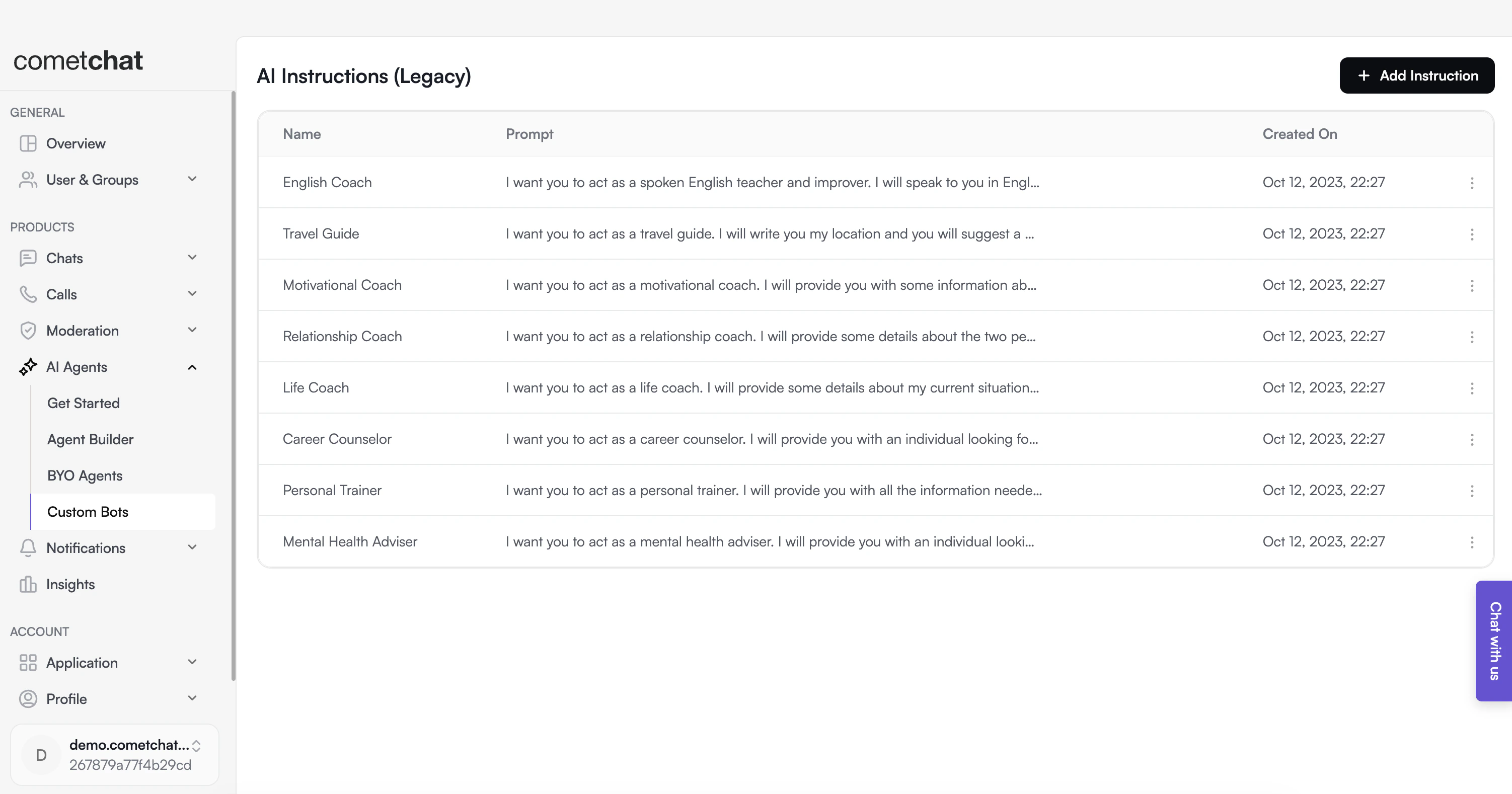 By default we create 8 instructions. These instructions are as below:
1. English Coach
2. Travel Guide
3. Motivational Coach
4. Relationship Coach
5. Life Coach
6. Career Counselor
7. Personal Trainer
8. Mental Health Adviser
The default instructions cannot be edited or deleted.
## Adding new instructions
Add new instructions by clicking on "+" icon.
By default we create 8 instructions. These instructions are as below:
1. English Coach
2. Travel Guide
3. Motivational Coach
4. Relationship Coach
5. Life Coach
6. Career Counselor
7. Personal Trainer
8. Mental Health Adviser
The default instructions cannot be edited or deleted.
## Adding new instructions
Add new instructions by clicking on "+" icon.
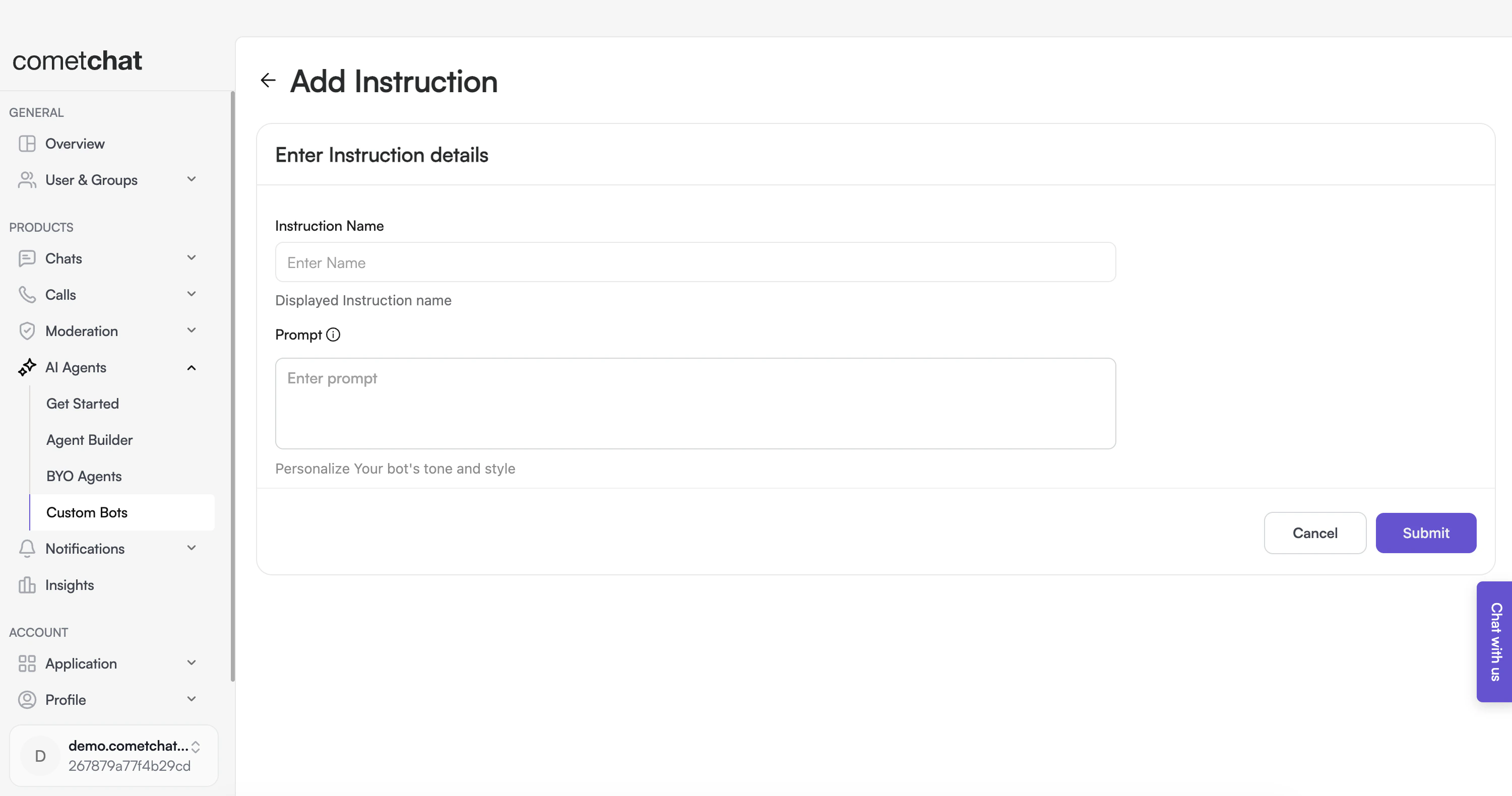 Configure the instruction by giving it a name and an appropriate prompt.
This prompt enables you to add a unique instruction to a CometChat Bot. Providing a brief description of its character, tone, or style will be helpful. You can refer to our Default Instructions to understand how you can create a custom instruction that suits your use case.
Newly added instructions can be edited as well as deleted.
Instructions are soft-deleted to avoid issues when a instruction is attached to a particular bot.
Configure the instruction by giving it a name and an appropriate prompt.
This prompt enables you to add a unique instruction to a CometChat Bot. Providing a brief description of its character, tone, or style will be helpful. You can refer to our Default Instructions to understand how you can create a custom instruction that suits your use case.
Newly added instructions can be edited as well as deleted.
Instructions are soft-deleted to avoid issues when a instruction is attached to a particular bot.